⛘ Merging elements
Common mistake
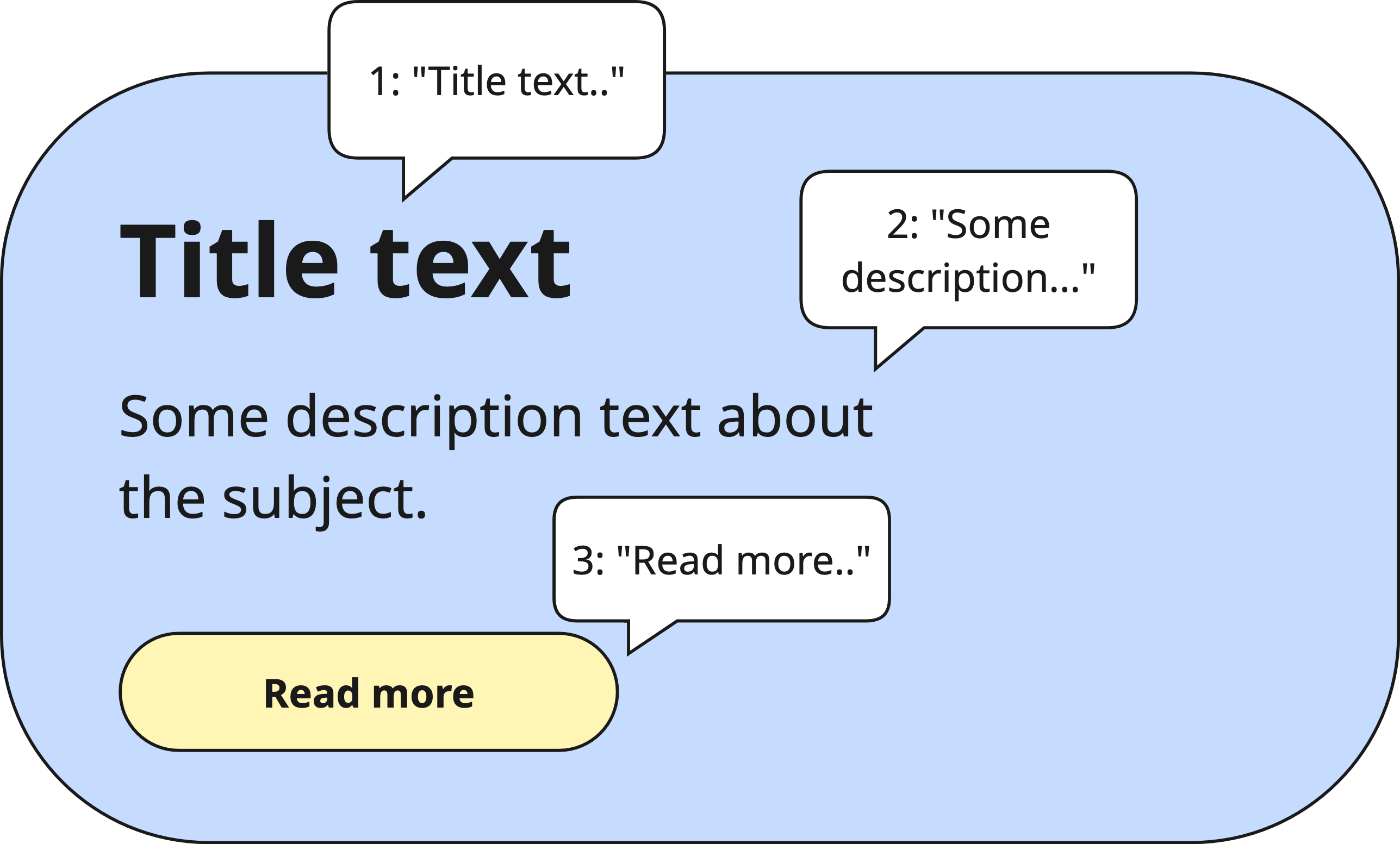
A common mistake is leaving visually grouped elements such as a product card with a title, subtitle, and price, as separate semantic nodes. A screen reader will navigate each child individually, forcing the user to swipe through every piece of information one by one. This fragments the experience and makes it hard to understand the relationship between related pieces of content.
🎯 Relevant elements
This guideline applies to any widget that groups multiple pieces of related information visually:
- List tiles with a title, subtitle, and trailing widget
- Product or content cards
- Profile rows (avatar + name + role)
- Form fields with a label and input
- Icon + label combinations
WCAG Guideline
This guideline is based on WCAG 2.2 — 1.3.1 Info and Relationships (Level A). Information, structure, and relationships conveyed through presentation must be programmatically determinable or available in text.
Solution
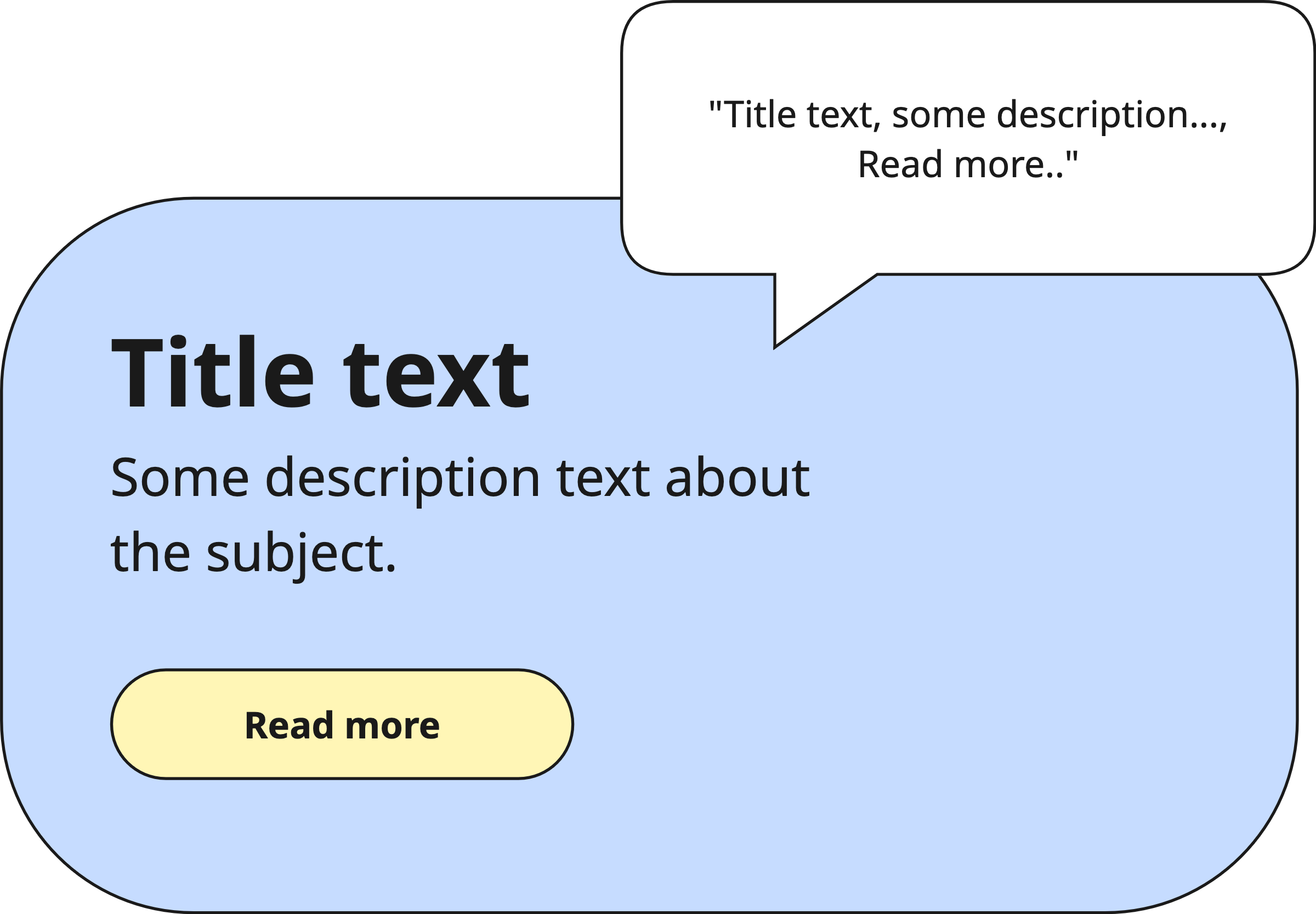
Use Flutter’s MergeSemantics widget to merge related elements into a single semantic node. This ensures that related information such as a title and its subtitle is read aloud as a single unit rather than as separate fragments.
// ❌ Don't - each child is announced separately
Column(
  children: [
    Text('John Doe'),
    Text('Software Engineer'),
  ],
);

// ✅ Do - announced together as a single unit
MergeSemantics(
  child: Column(
    children: [
      Text('John Doe'),
      Text('Software Engineer'),
    ],
  ),
);
| 👎 Don’t | 👍 Do |
|---|---|
 |  |
Validation & Testing
Verify this guideline using one or more of the methods below. See the Validation & Testing setup guide for tool configuration.
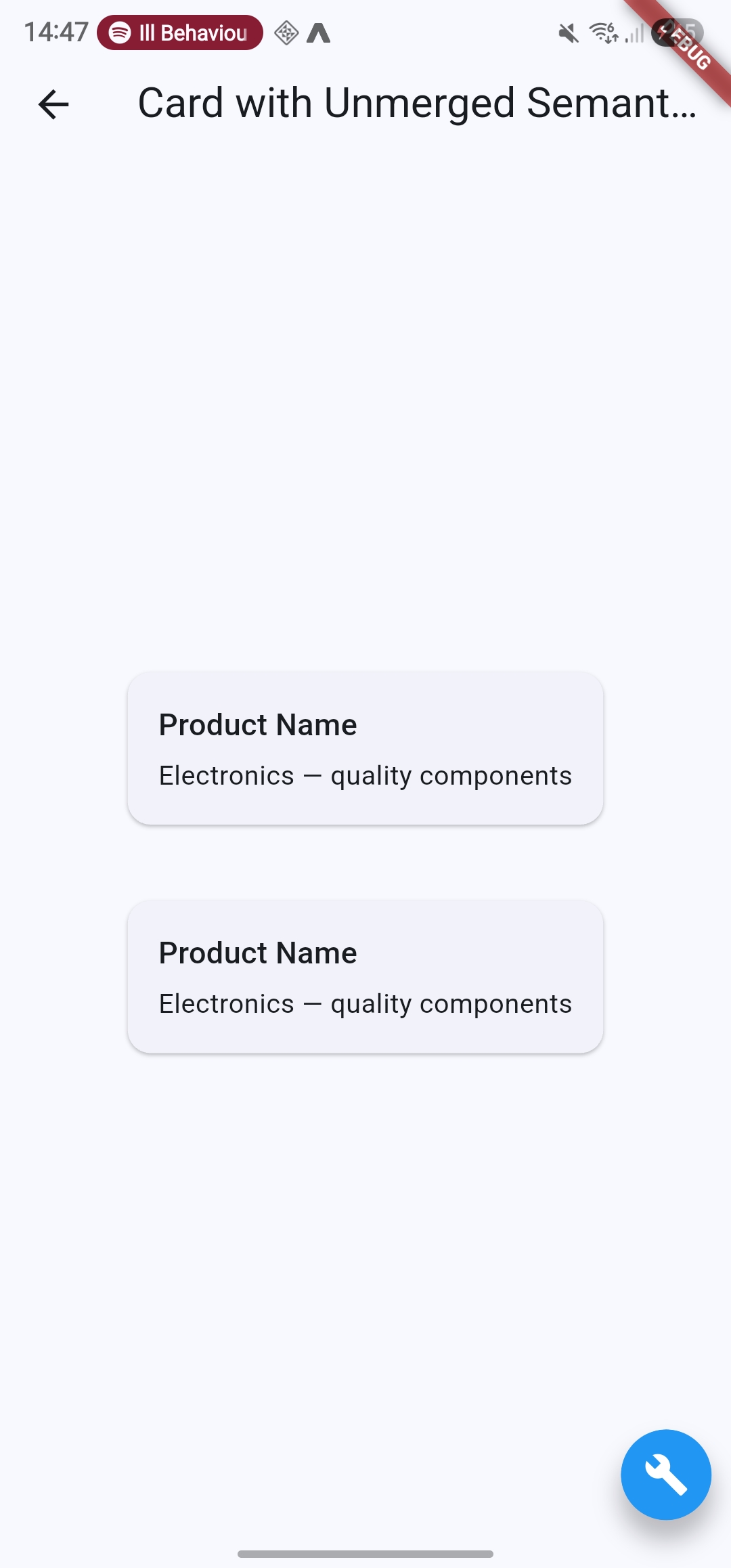
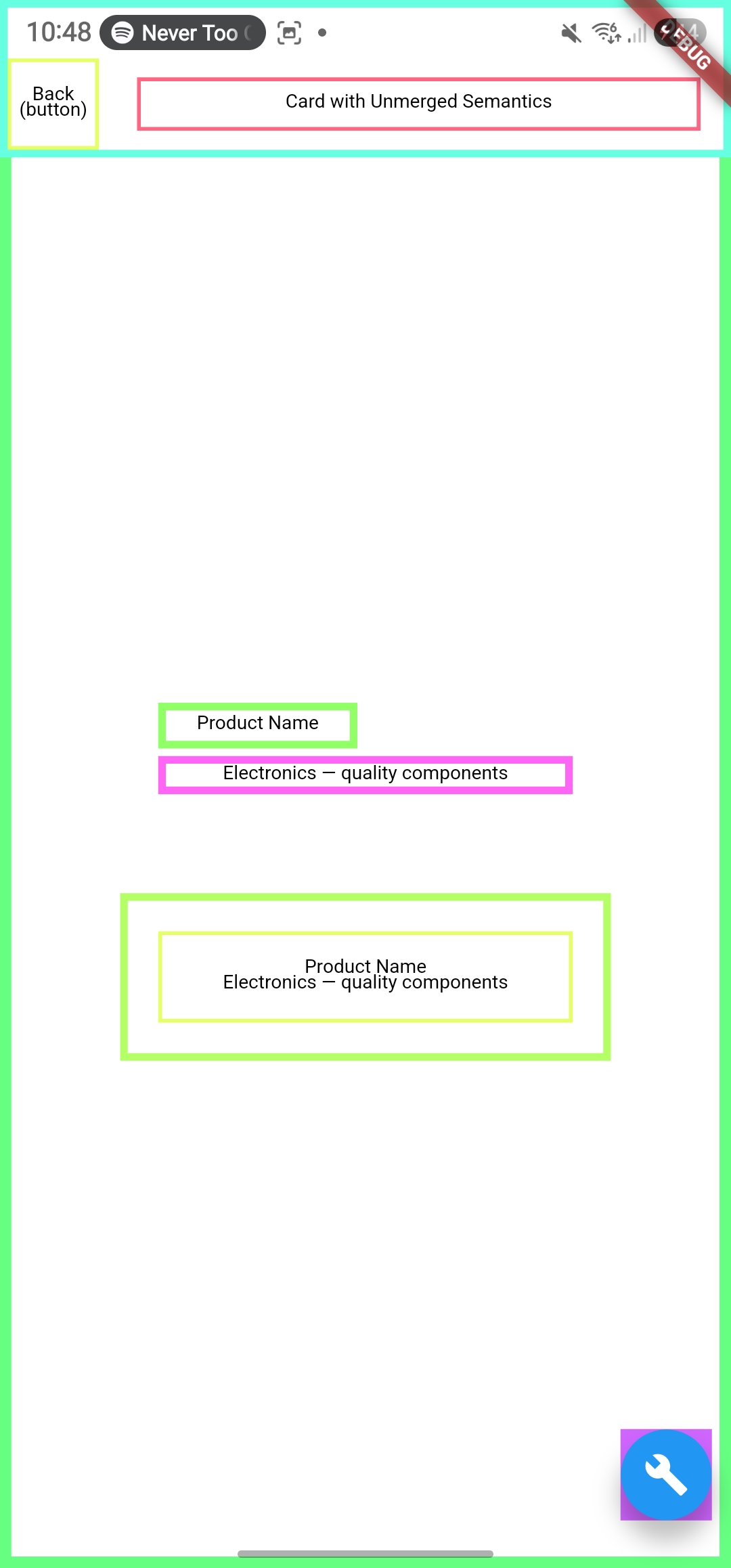
SemanticsDebugger
Confirm that grouped elements appear as a single highlighted node rather than multiple separate ones.
SemanticsDebugger off | SemanticsDebugger on |
|---|---|
 |  |
accessibility_tools
Activate screen reader mode and confirm grouped elements appear as a single node.
TalkBack & VoiceOver
Navigate through grouped elements. Verify that related content is announced together as a single unit. For example, "John Doe, Software Engineer" rather than two separate announcements.
flutter_test
Use flutter_test to assert that merged elements produce a single semantic node with a combined label.
testWidgets('profile row is merged into a single semantic node', (tester) async {
  await tester.pumpWidget(MyWidget());
  final semantics = tester.getSemantics(
    find.byKey(const Key('profileRow')),
  );
  expect(semantics.label, contains('John Doe'));
  expect(semantics.label, contains('Software Engineer'));
});
🛠️ Usage baseflow-a11y-components library
This is enforced on the following components:
- A11yCard